Clicky

GovSwift is a third-party service website not affiliated with the United States government.

Download Your Free Passport Photo

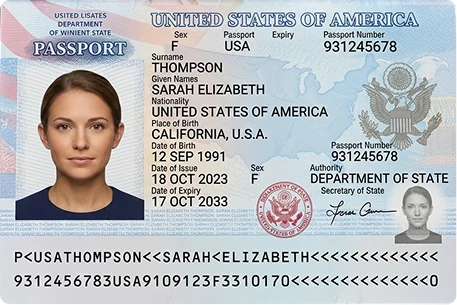
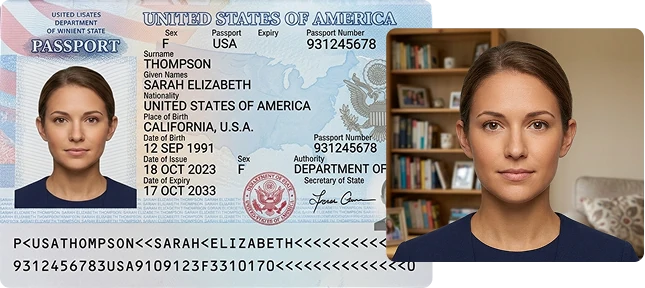
Forget the photo booth. Take official, government-compliant passport photos from your phone in seconds.

1M+

Pictures Created

1M+

Satisfied Users

30s

Average Creation Time

12+

12+ Years of Experience

Why Choose GovSwift?

Navigating passport requirements can be a headache. Whether it’s for the U.S. or anywhere else, GovSwift takes the guesswork out of the process. We ensure every photo is 100% compliant so you can focus on your trip, not the paperwork.

Snap or Upload Your Photo, We Handle the Rest

Each uploaded photo is automatically analyzed by our system to check if it meets official passport photo guidelines. It reviews key elements such as face position, background clarity, and image size.

AI Enhances Your Image for Best Results

Let our smart AI perfect your photo by automatically cropping and removing backgrounds, ensuring you get a fully compliant, government-ready result every time.

Always Available to Help

We’re always available to assist you. For support, you can contact us by phone, text, or email. At every stage of the procedure, we genuinely are by your side.

Download Your Edited Images

Simply download your images and save them for later. They’re yours to use whenever you need them for your application.

Guide to Taking a Passport Photo

Taking a proper passport photo can seem difficult, but with the right approach it becomes simple and quick. Follow the steps below to capture a photo that meets passport application requirements.

1

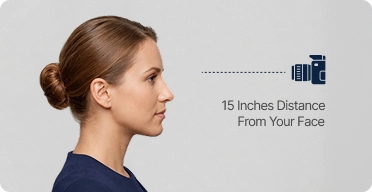
Body and Camera Distance

Ask another person to help take the photo if possible. Stand at an appropriate distance so there is about 15 inches between your face and the camera.

2

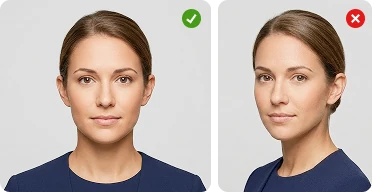
Straight Posture

For a photo that’s guaranteed to pass, look straight into the lens with a relaxed, neutral expression. Make sure the camera is level with your eyes—think of it as a direct, professional gaze.

3

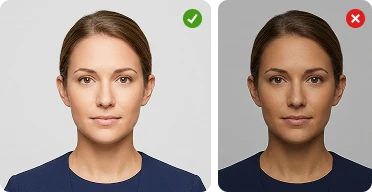
Use Proper Lighting

Make sure the lighting is balanced and clear. Avoid photos that are too bright or too dark so your facial details remain visible and accurate.

What Our Customers Say!

Most U.S. passport delays are caused by poor-quality photos. Our AI and human experts ensure every image meets the strict U.S. Department of State biometric standards. If it doesn’t pass, we’ll give you a full refund and a new photo for free.

Everything You Need to Know About U.S. Passport Photos

We follow these essential guidelines to generate your United States passport photo:

Biometric passport photographs are designed to help confirm a person’s identity by examining unique facial characteristics. When taking this type of photo, position yourself directly facing the camera and keep your eyes looking forward. Make sure no other person appears in the image. The background should generally be plain and a single, consistent color so that your face is clearly visible and easy to identify.
Prescription glasses may be worn only if they do not create glare or reflections that could make the passport photo unacceptable. Rules related to glasses and head coverings generally remain consistent with standard passport photo guidelines. However, it is usually recommended to take the photo without wearing a hat or glasses to avoid possible issues.

Frequently Asked Questions

Glasses are not allowed in U.S. passport photos. If you normally wear them, take the photo without glasses. Exceptions are extremely limited and only permitted for medical reasons, and a signed statement from a medical professional is required.

No. Glasses are not allowed in U.S. passport photos. If you usually wear them, remove them before taking the photo. Exceptions are extremely rare and permitted only for medical reasons with a signed note from a medical professional.

Wear normal, everyday clothing when taking your passport photo. Avoid uniforms, camouflage patterns, or outfits that resemble official attire. Hats or head coverings are generally not allowed unless they are worn daily for religious purposes. Also avoid clothing that blends with the background.

A neutral facial expression is recommended. A natural smile with both eyes open is acceptable, but avoid exaggerated expressions, closed eyes, or tilted head positions.

No. Selfies are not accepted for U.S. passport photos. The photo must be taken by another person or using a tripod to ensure proper framing, lighting, and background.

Your passport photo should be taken within the past six months so it accurately represents your current appearance. Submitting an older image may lead to delays or possible rejection of the application.

The background should be solid white or off-white. It must be clean and free from shadows, patterns, textures, or any objects behind the subject.

The required size is 2 x 2 inches (51 x 51 mm). Your head should measure 1–1 3/8 inches (25–35 mm) from the bottom of the chin to the top of the head.

Hats or head coverings are generally not permitted in passport photos. An exception may apply if the item is worn every day for religious reasons, but the entire face must remain clearly visible from chin to forehead.